

Secrets are stored as strings. If your secret is a JSON payload or similar,
remember to convert it to the correct format using
json.loads(os.environ.get("MY_JSON_SECRET")).Managing Secrets
You create, update, and delete secrets in your dashboard.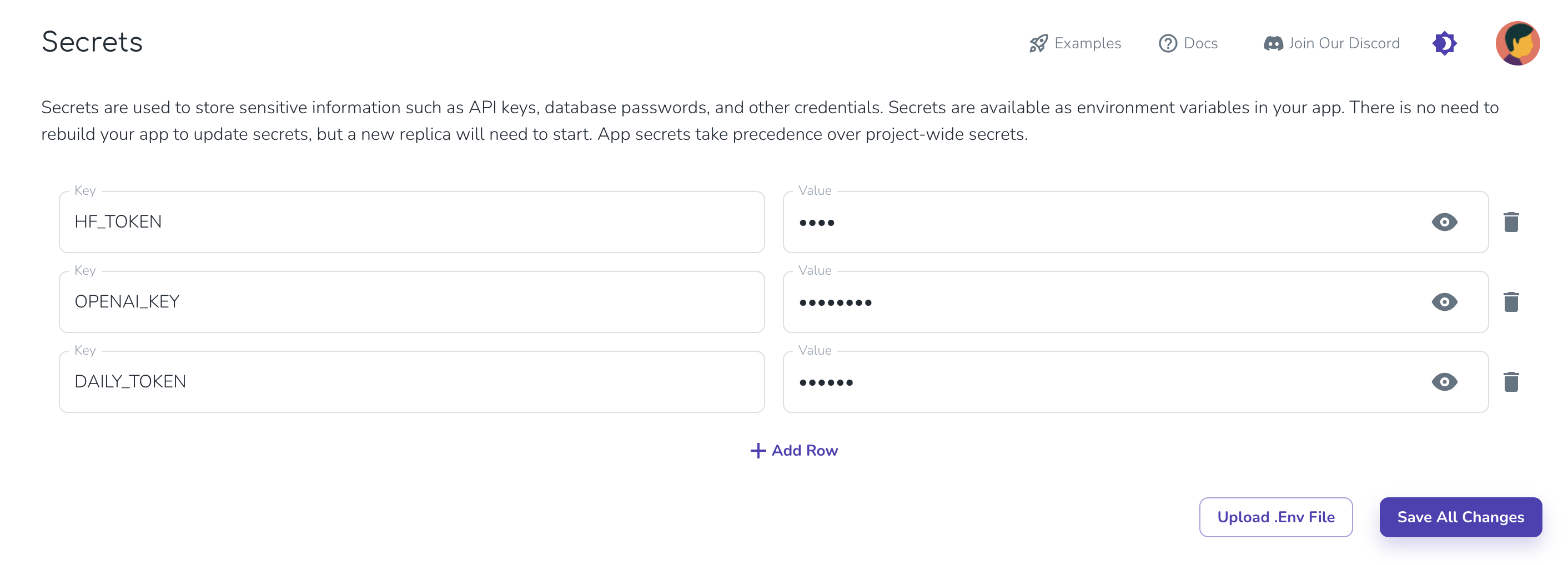
Secrets are loaded on model start. You will need to wait for your app
container to restart or deploy your app before the new secret is available.
Automatic Environment Variables
Cerebrium automatically sets the following environment variables for your app:- APP_NAME: The name of your application
- HF_HOME: Set to ‘/persistent-storage/.cache/huggingface’ for caching HuggingFace models
- PROJECT_ID: The ID of your Cerebrium project
- BUILD_ID: The unique identifier for the current build
The app_id is a composite of PROJECT_ID + ’_’ + APP_NAME.
Local Development
For local development, use an.env file. Add the same secrets to the dashboard before deploying.