

Maintaining separate development and production apps in separate projects
is recommended, so that you can safely test changes before going live.
1. Authenticating to Cerebrium
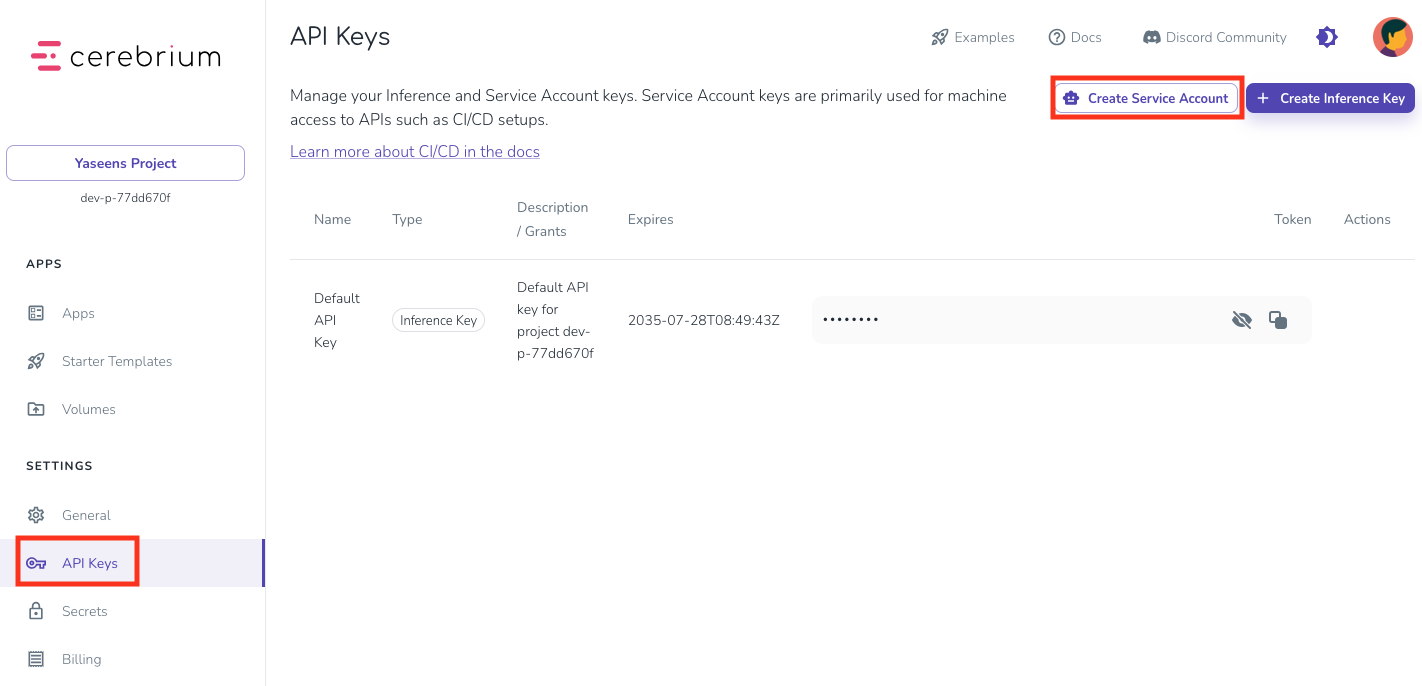
The GitHub Action workflow uses a Service Account key to authenticate to Cerebrium. Service Account keys are credentials tied to a specific service, not an individual.- Go to the Cerebrium Dashboard and open the API Keys page.
- Click Create Service Account, name it
"GitHub Actions CI/CD", choose an expiry date, and click Create. - Copy the key generated for the new service account.
2. Define Secrets in a GitHub Environment
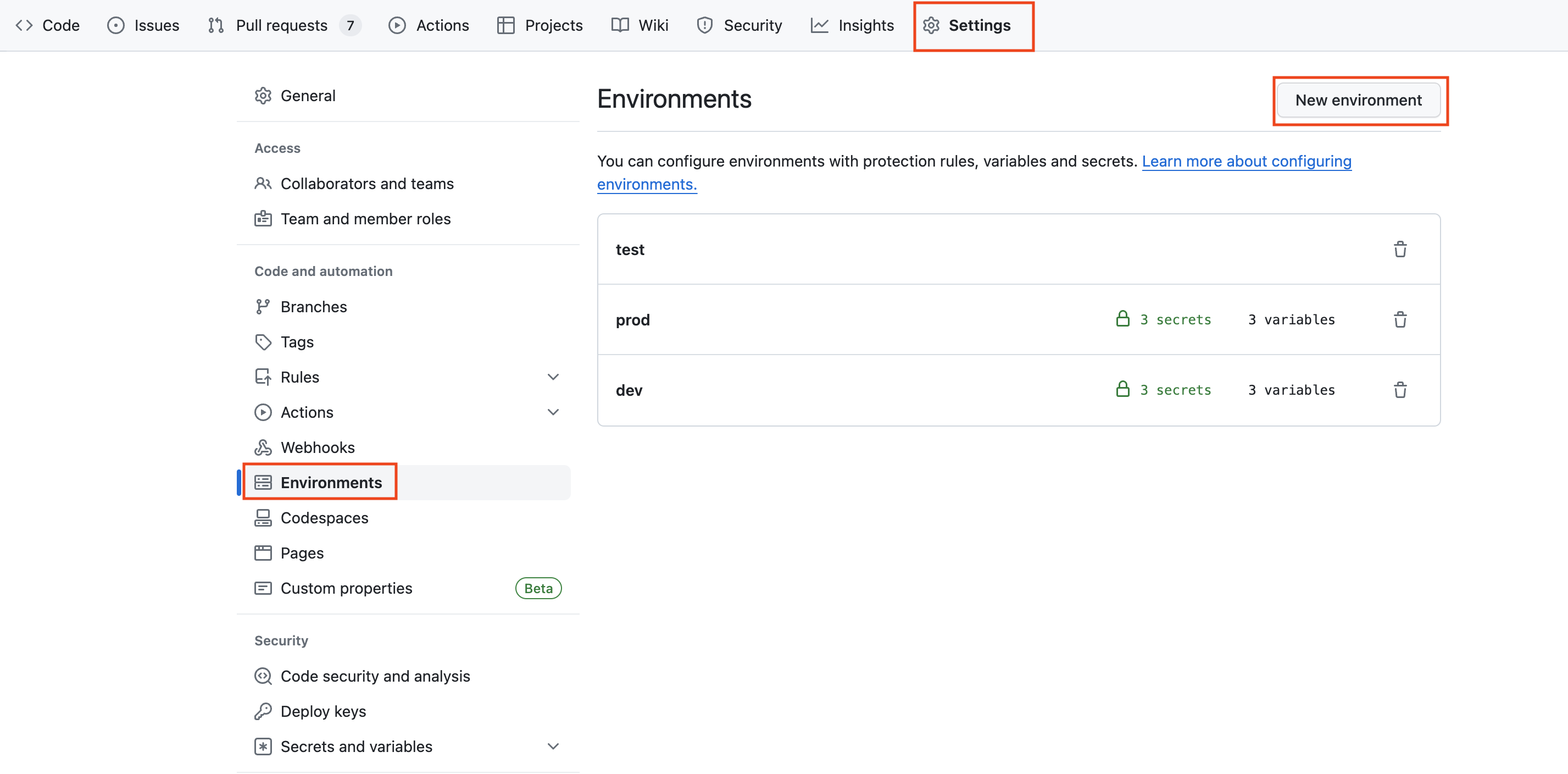
Store this key in a secret for use in GitHub Actions workflows.- Navigate to the GitHub repository → Settings → Environments
- Create environments named
"dev"and/or"prod"(Adjust to specific needs) - Inside each environment, add 2 secrets:
- Name:
CEREBRIUM_SERVICE_ACCOUNT_TOKEN - Value: the key copied in the previous step
- Name:
CEREBRIUM_PROJECT_ID - Value: your project ID
- Name:
🔒 Use secrets, not plain environment variables, to prevent leaking sensitive data in logs.
3. GitHub Actions Workflow
GitHub Actions use workflow files in the.github/workflows/ directory. Create one to define the deployment process.
- Create a
.github/workflowsdirectory in the root of a new or existing GitHub repository - Within that directory, create a new file named
cerebrium-deploy.yml - Paste the following YAML into the file:
- Deploy a production application on every push to master.
- Deploy a development app on pull requests to master or development branches.